 PaperPicks.
Yes. The Kalshi demo account lives at demo.kalshi.co: separate login, mock funds, free, works in any browser. Setup takes about five minutes using the test identity and funding details from Kalshi's help article. It teaches the interface well and prices badly, since its order books are simulated. Learn the buttons there, then get your judgment reps somewhere the odds are live, like PaperPicks.
Setting up a Kalshi demo account#
Yes, the Kalshi demo account is real: anyone can make one at demo.kalshi.co in about five minutes. Here is the exact path, from the account we set up ourselves on July 24, 2026, and then what to actually do with it.
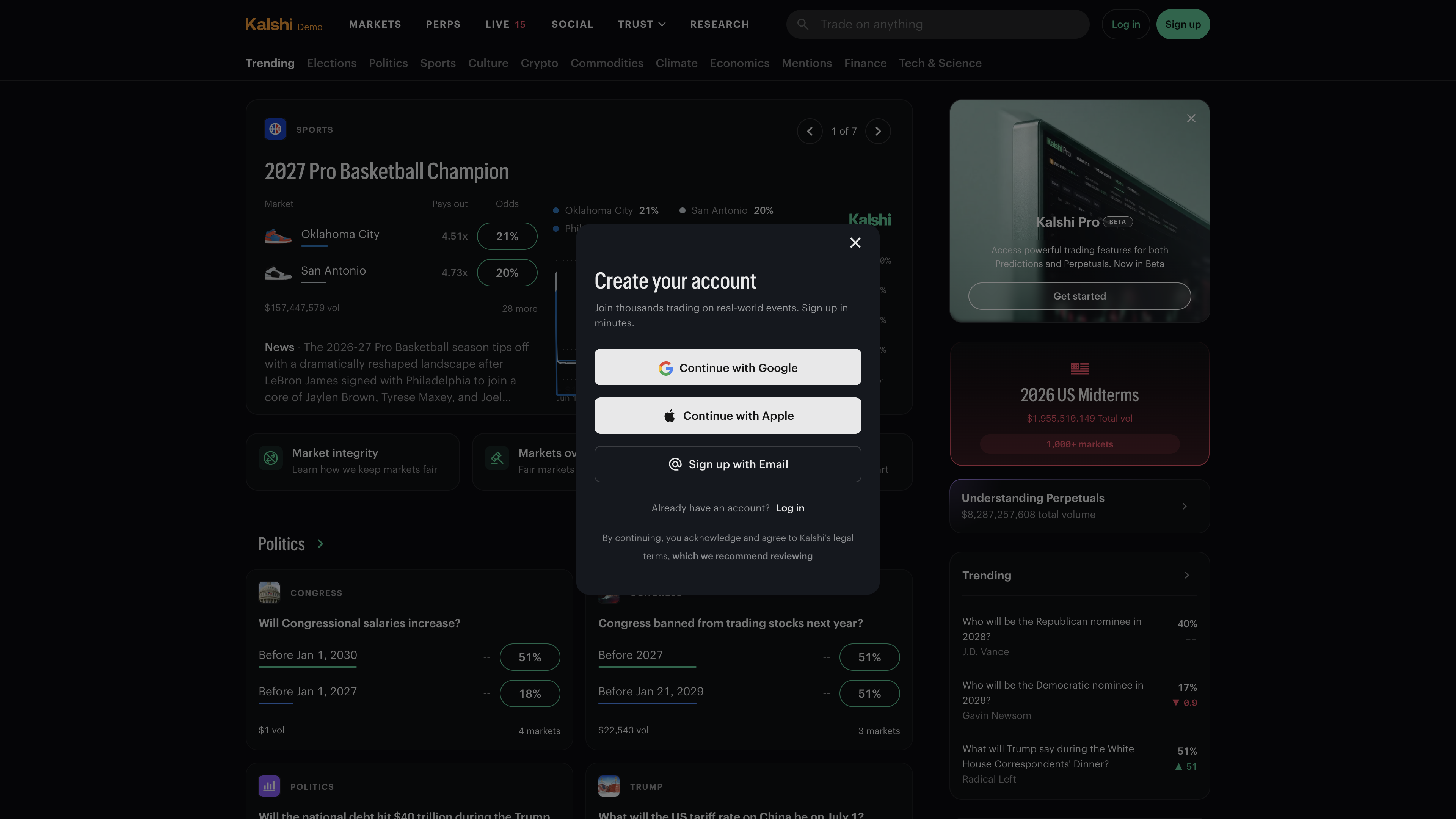
- Open demo.kalshi.co in a browser. You land on what looks exactly like the real Kalshi homepage, with a signup modal offering Google, Apple, or email. This is the Kalshi demo environment, a separate copy of the exchange that Kalshi originally built so developers could test code before touching real markets.
- Create fresh credentials. Your real Kalshi login does not work here, and a demo login never works on the real site. The demo is fully separate from production, from login to balance.
- Walk through the mock onboarding. The demo imitates Kalshi's real signup flow, so it asks questions a sandbox does not strictly need. Kalshi's Help Center walkthrough covers the whole flow, including the test identity details to enter. Nothing here verifies your actual identity.
- Add the test funding. The same article covers funding the account with mock money. Once it lands, you can trade: real-looking markets, a working order ticket, positions that show up in your account.
One sentence for developers, then back to humans: the demo's Trade API root is external-api.demo.kalshi.co/trade-api/v2, with the rest in Kalshi's docs, and our best Kalshi tools roundup covers the API alongside the screeners and calculators built on it.
Inside the Kalshi demo#
The front page is a faithful clone of real Kalshi, and at first glance the markets look plausible too. The volume numbers are where the illusion drops. On the day we signed up, one basketball event showed $157 million traded while a market on congressional salaries had traded exactly $1. The newest listing on the site that afternoon was a developer's test market titled "What will 1+1 equal on Jul 24 at 17:40?".
None of this is broken. The demo is a shared sandbox: bots flood fake volume into some markets and ignore the rest, and developers spin up throwaway markets to test against. Once you know that, the strange numbers stop being confusing and become a feature, a standing reminder that no price in here carries information. Treat the interface as real and everything else as scenery.
What to do in your first hour#
The demo teaches mechanics, so spend the hour on mechanics. Four exercises get you most of the value.
- Place a market order. Pick a market with real-looking volume, buy a couple of YES contracts at the asking price, and watch where the fill shows up and what average price you actually got. Market orders are the fast way in and out, and this is where the button stops being scary.
- Place a limit order. Now name your own price a few cents below the current ask and watch the order rest in the book instead of filling. Move it, cancel it, let one fill. Limit orders are how you stop paying the spread, and the demo is the right place to fat-finger your first one.
- Watch a book. Open the order book on a single market and look at it for five minutes: bids stacked on one side, asks on the other, the spread in between. Demo books are thin, which is a flaw for trading and a gift for learning, because you can see the anatomy without the noise.
- Read resolution rules. Open a market page and find the rules that say exactly how it settles. Read them slowly on two or three markets, and notice how often the precise wording is narrower than the headline. Reading rules before trading is the cheapest edge available, and the demo is where the habit costs nothing to build.
An hour of this and the interface should be boring. Boring is the goal: it means you will not fumble the mechanics later, when money is attached.
Where the demo stops helping#
Kalshi says it plainly if you read the docs, which describe the demo as existing "for testing purposes" and warn that prices "may not be reflective of those in real markets." Take that literally. The order books are simulated and often thin or stale. You can get filled at prices no live market would print, which means any win or loss in there is noise, not feedback.
It is also a website and only a website. demo.kalshi.co works in a phone browser, but there is no Kalshi practice mode inside the native app. Everything in the app is real money, behind full identity verification, with no toggle to flip.
Nothing transfers. Your demo login, balance, and history live in their own world and never touch a real Kalshi account. That cuts both ways: no risk, and also no record. Nothing you do in the demo follows you anywhere, which quietly changes how carefully you trade.
And the demo is a sandbox before it is a school. Developers call it exactly that, the Kalshi sandbox, and their test markets sit in the listings next to the real-looking ones. You will sometimes be trading two rows away from a market about arithmetic.
You can place a market order and a limit order, reprice and cancel without hunting for buttons, and you check resolution rules by reflex. For most people that takes an afternoon. Past that point, the demo is repetition against prices that cannot teach you anything.
How to practice on Kalshi#
Practice splits into three lanes, and they work best in order.
The demo covers the first lane, the interface. It is free, it takes five minutes to enter, and it is the closest official thing to a Kalshi practice account. Learn the buttons there, then stop, because time spent against fake prices buys nothing after that.
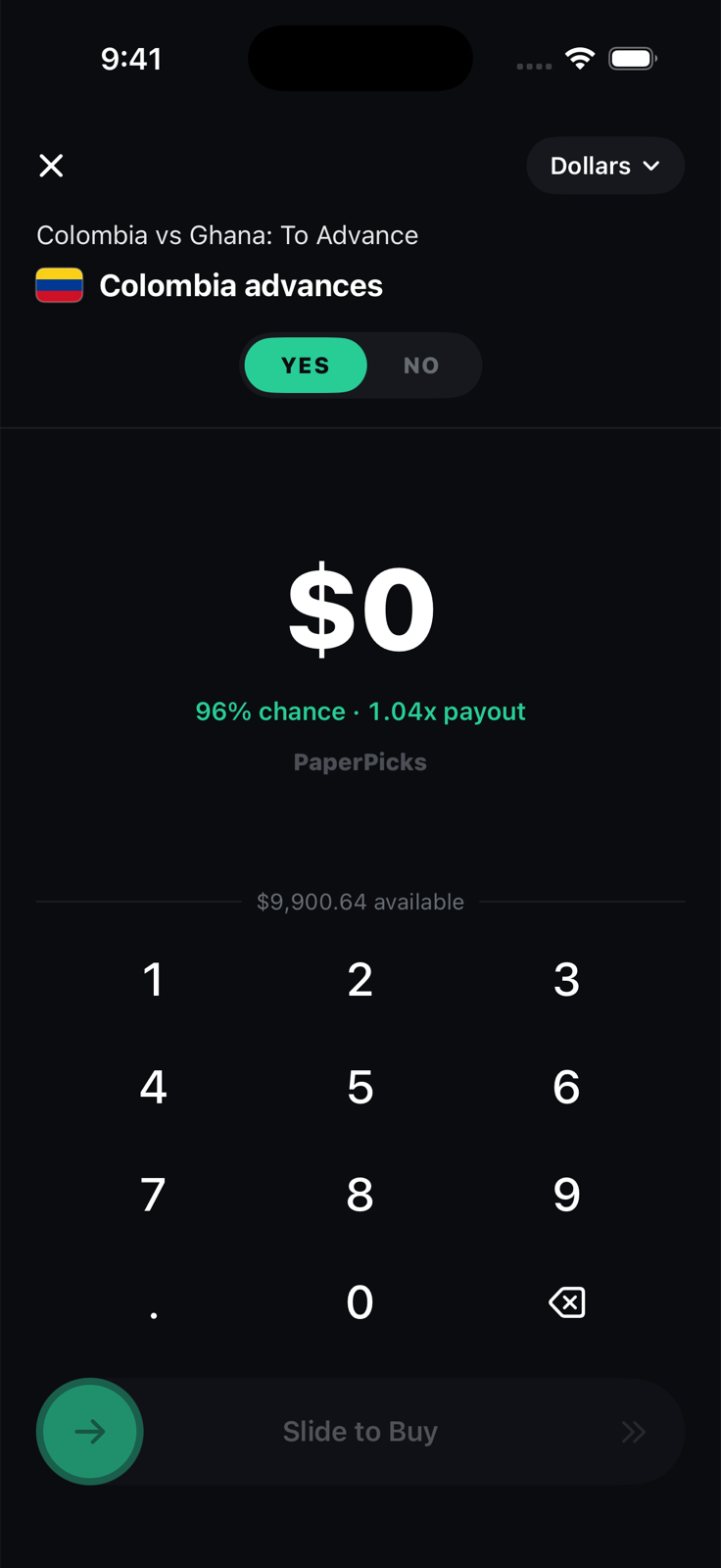
The second lane is judgment: reading a live price, deciding the crowd is wrong, and getting scored on it. PaperPicks is a free iPhone app built for exactly those reps. It gives you a $100 paper bankroll and live odds mirroring public prediction markets, the same event contracts that trade on Kalshi, so the price on your screen is the real market's probability, moving on real news. Positions settle when the real markets resolve, the record is permanent, there is no signup, and no real money exists anywhere in it, ever. Download it on the App Store and you are trading paper within a minute of leaving this page.
The third lane is a real Kalshi account, with verification, deposits, and stakes. No simulator manufactures the feeling of real dollars leaving, and eventually that feeling is the thing left to learn. Get there after your paper record says you read prices well over a real sample, and start smaller than feels necessary.
If you are still deciding which practice tool fits, Kalshi paper trading is our longer comparison of the demo, simulators, and the real thing. The short version is the order above: demo for the buttons, live-odds paper for the judgment, and real money last, once the cheap mistakes are already spent.
- Kalshi docs: Test in the demo environment — the demo environment description and the warning that prices may not reflect real markets
- Kalshi Help Center: Creating and using a demo account — the official setup walkthrough with test identity and funding details
Facts checked against primary sources on August 11, 2026.